Carrozzeria Zotta — Beyond the website
A tailored digital ecosystem: a business website, custom management software and cloud infrastructure, designed to work together. With an interactive 3D concept car on the homepage.
- Category
- Website · Business software · Cloud · 3D
- Client
- Carrozzeria Zotta, Collegno (Turin)
- Platform
- Website, web app and cloud backend
- Status
- Online · Public launch in preparation
- Year
- 2026


The project
Carrozzeria Zotta is a car body shop in Collegno, just outside Turin, in business since 2005: bodywork and painting, insurance claims, glass replacement and hail damage repair.
For the shop we designed and built much more than an online presence: not just a website to visit, but a working system built around the real needs of the business, from the website to the management software and the infrastructure that connects them.
What we built
Business website
11 responsive pages with the services, direct contact options and a before/after work section fed by the management software.
Read more: Business websiteCustom management software
A web app with personal sign-in to organize jobs, photos, statuses and publishing, from a computer or a smartphone.
Read more: Custom management softwareInfrastructure and 3D experience
Backend and database on Cloudflare, a private photo archive, automatic website updates and an interactive 3D concept car.
Read more: Infrastructure and 3D experience
Public website
A website built around the people who need a body shop
People looking for a body shop have often just had damage to their car. The site answers straight away: which services the shop really offers, how it works and how to get in touch. Every design choice serves that clarity.
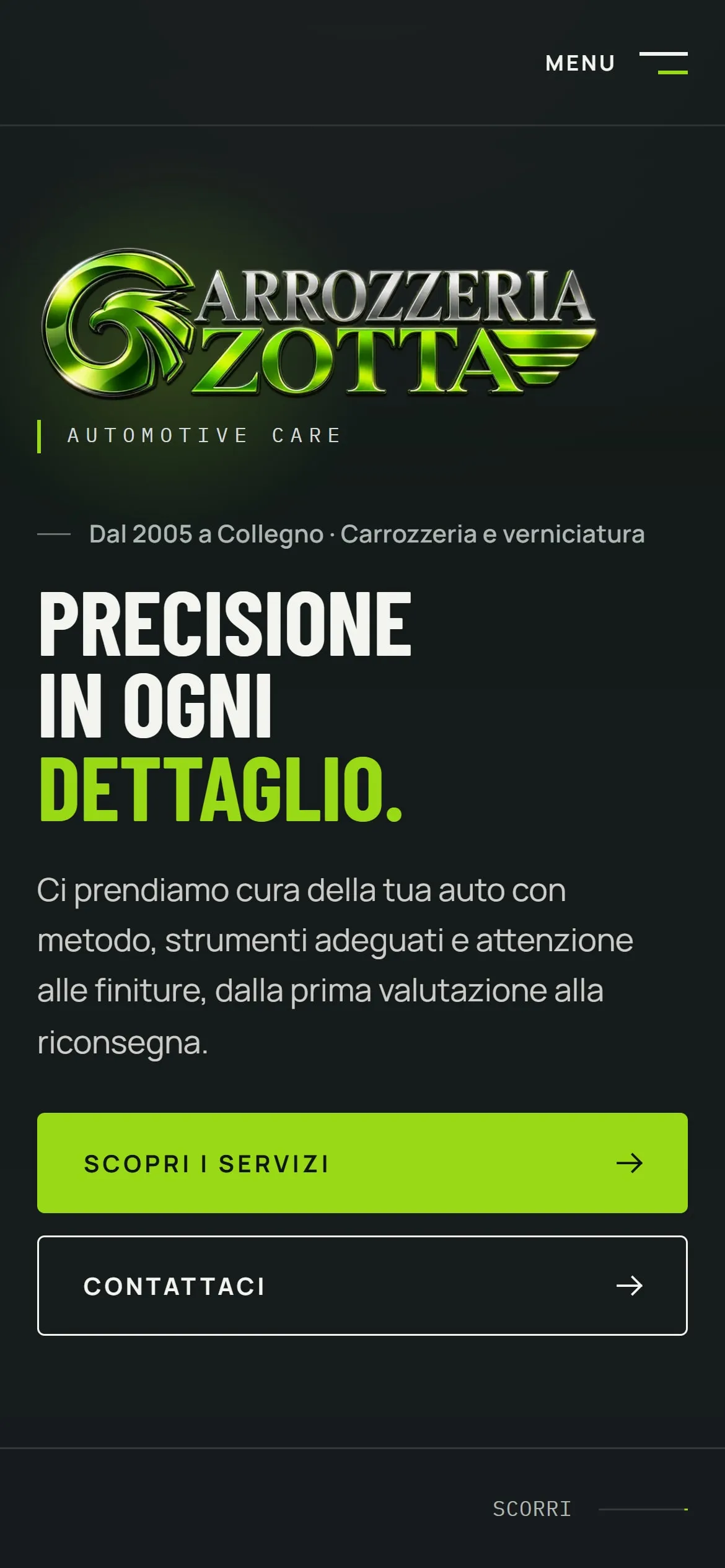
Home 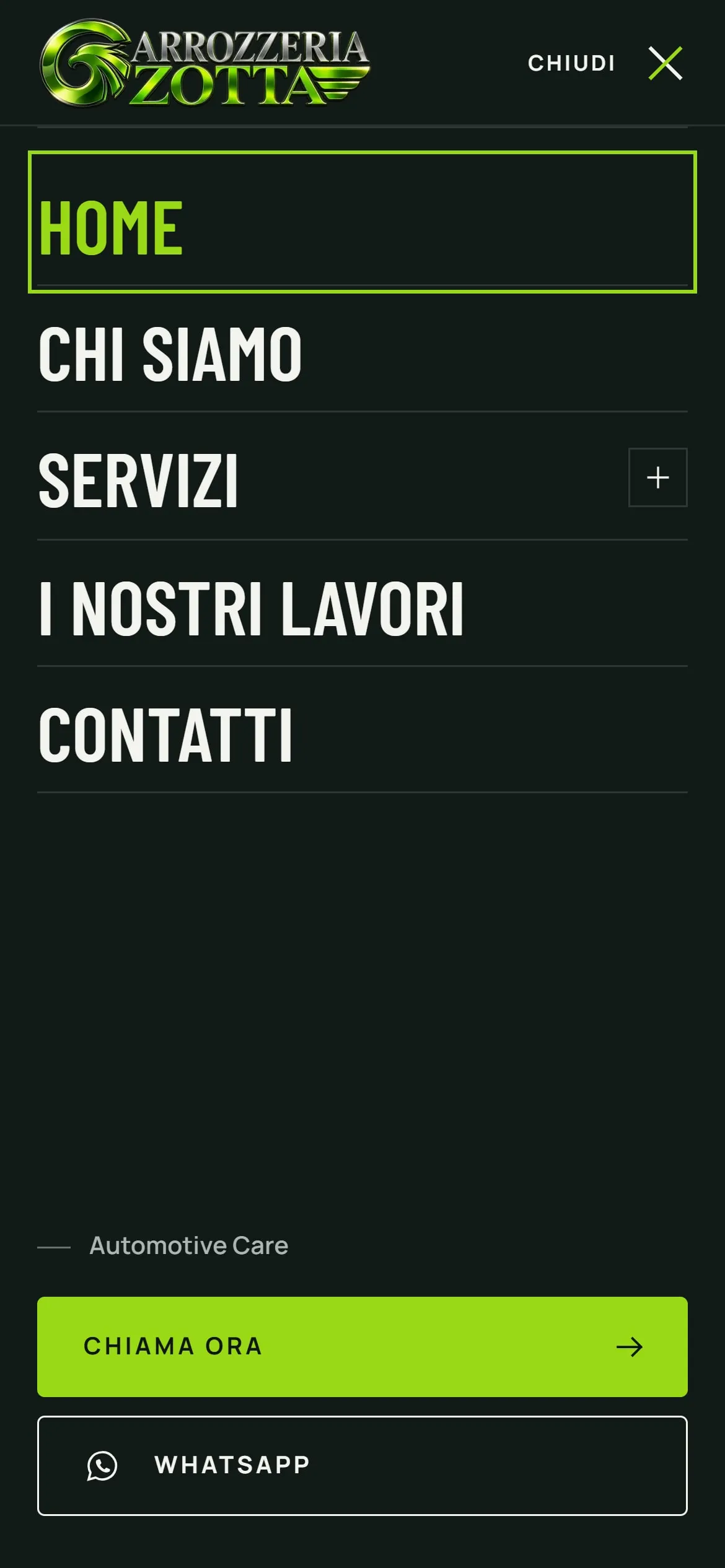
Menu 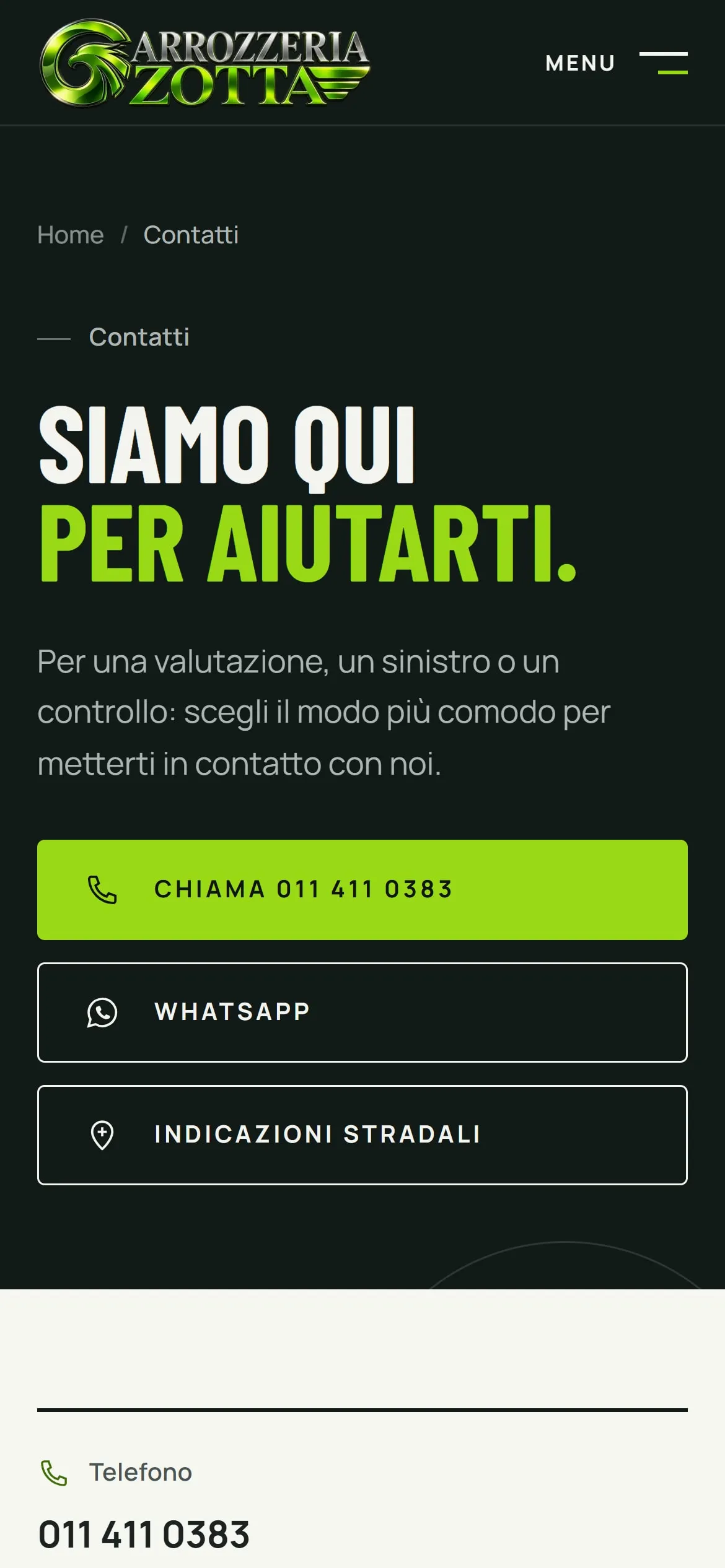
Contact


- Real services
- Bodywork and painting, insurance claims, glass replacement and hail damage, with dedicated pages for the main services. Only what the shop actually offers.
- One-tap contact
- Call, WhatsApp and directions are always at hand, including in the mobile menu. Opening hours and address come from a single data source.
- Before/after work
- A section fed by the management software, with categories, galleries and a before/after comparison that works with a mouse, a finger or the keyboard.
- True to the brand
- Graphite and lime green from the logo, condensed headings and a green glow that follows the mouse on desktop: a recognizable identity that stays easy to read.
The website is available in Italian only: the screenshots show its original interface.
Management software
A custom web app for everyday work in the shop
The management software is a web app with restricted access: the two authorized users work on the same archive, from a computer or a smartphone. A job is opened when the car arrives, completed over the following days and published on the website only when it is ready.
The people in the workshop update jobs and the online portfolio from a dedicated interface, without touching the website’s code or using GitHub.


Access and teamwork
- Personal accounts with email and password
- Protected sessions that expire when unused
- New passwords via a personal, single-use link
- The same archive from a computer and a smartphone
- Simultaneous saves handled: nobody overwrites a colleague’s work
Jobs
- Drafts that can be picked up over several days
- BEFORE and AFTER photos sorted by framing
- Clear statuses: in progress, published, withdrawn, trash
- A recovery copy of unsaved changes on the device
- An illustrated guide to taking comparable photos
Publishing
- Checks for missing information and recommended photos
- Explicit confirmation before anything goes online
- Changes to a live job wait until it is published again
- Withdrawal from the website without losing the job
- Restore from the trash and permanent deletion with confirmation
- Real jobs always kept apart from test ones
Screens show demo data and illustrations: no real customers, number plates or staff. The interface is in Italian.
Before and after
Before and after, precisely
A before/after comparison only works if the two photos line up. But the AFTER shot is taken days later, by hand: distance, angle and framing change a little. The software corrects these differences before publishing.


Photos join the job
The operator uploads the BEFORE and AFTER photos, from a smartphone too, straight into the job.
Finds common points
It detects hundreds of distinctive details in both photos, such as body edges and contours, and matches them.
Proposes a correction
It estimates the shift, zoom and rotation that bring the AFTER photo onto the BEFORE one, and proposes them only if they pass reliability checks.
The operator refines
A slider preview, a switch between original and aligned photos, and manual adjustment of position, zoom and rotation.
Saved only on confirmation
The comparison is saved only after explicit confirmation. Only the correction is stored: the archived photos are never overwritten.
- Faithful, not retouched
- The photo is only moved, zoomed or rotated: never warped or retouched, so the comparison shows the work as it is.
- Computed in the browser
- A feature-point method with a robust estimate that ignores inconsistent details, running in a separate process that keeps the interface responsive.
- Stated limits
- It corrects moderate differences, not perspective. If the photos are too different it proposes nothing and suggests manual adjustment or a new shot.
- Tested
- 63 automated checks on test images with known shifts, zooms and rotations, including the cases that must be rejected.
Demo illustrations: the AFTER photo was deliberately shifted, zoomed and rotated for the test. The tests measure behaviour on test images, not accuracy on every real photo: the thresholds still need to be confirmed on the shop’s first real shots.
3D experience
Interactive 3D concept car
The right half of the desktop homepage features a black-graphite sports concept car with lime-green details, made for the website in the brand colors. It is an illustrative element, labelled on the page as “Concept 3D illustrativo” (illustrative 3D concept): it is not a real car or a job done by the shop.


- To look at and to turn
- It follows the mouse slightly; dragging it rotates it a full 360° with natural inertia. The arrow keys rotate it too, and a button brings back the initial view.
- Materials and light
- Metallic graphite paint with a clear coat, lime-green accents and LED lights, lit by a virtual studio generated right in the browser.
- Loaded only when needed
- The model arrives after the rest of the page, and only on desktop screens with suitable graphics. Until then, or if anything goes wrong, a still image of the same model stays in place.
- Easy on the device
- It only draws when something moves, pauses off screen and switches to a simpler mode if the computer struggles. Phones and tablets never download the 3D.
An illustrative model with no car-maker logos or trademarks. Some components are derived from a model licensed under CC BY 4.0: authors, sources, license and changes are listed in the credits.3D model credits and licenses
Cloud infrastructure
The architecture behind the experience
Behind the website and the management software there is a system visitors never see: access, data, the photo archive and website updates are connected, each with a clear role.
From the management software to the portfolio
Job approved
The operator publishes the job after the checks and the photo confirmation.
Archive updated
The backend records the new version in the private archive.
Rebuild started
The Deploy Hook asks Cloudflare to generate the website again.
Publishable content only
The build reads the archive, keeps only real published jobs and prepares the images.
Portfolio updated
The new pages go live. A withdrawn job leaves the website the same way.
- Astro · public website
- Fast static pages, generated with published jobs only and images optimized for the web.
- Cloudflare Pages · delivery
- Serves the website on the shop’s domain and rebuilds it with every update.
- Cloudflare Workers · backend
- The service behind the management software: sign-in, request checks, saving jobs and starting publication.
- Cloudflare D1 · database
- Accounts, sessions and sign-in attempts. Jobs and photos are not stored here: they have a dedicated archive.
- Private archive · GitHub
- Jobs and photos in a private repository, separate from the website code: the backend writes to it, the website only uses the jobs that can be published.
- Deploy Hook · updates
- When a job is published or withdrawn, the management software requests a website rebuild on its own.
Verified live: reading the archive during the website build and a rebuild triggered manually through the Deploy Hook. The automatic trigger from the “Publish” button is implemented and covered by automated tests; the full test with the first real job is still to be carried out.
Security and control
Designed with care for data
Workshop photos can show number plates, faces or documents. The system is built so that nothing goes online by accident, and a person always has the final say.
- Restricted access
- Authorized staff only, with personal accounts, expiring sessions, limited sign-in attempts and checks on every change request.
- Private photos
- The archive is not public: job photos can only be seen from the management software until a job is published.
- Location and metadata removed
- GPS coordinates and other hidden photo data are removed on the device; the backend rejects files that still contain them.
- Checked files
- The actual format, dimensions and size of every image are checked before it enters the archive.
- Confirmation before publishing
- Whoever publishes confirms they have checked for number plates, faces, documents and personal data. The check is done by a person, guided by the software: there is no automatic blurring.
- Tests never reach the site
- Demo content and test jobs are excluded from the public version. A final check blocks publication if it finds private files.

Development and testing
Technology and checks
Modern tools, chosen for each part of the system and checked with automated tests.
- Astro and TypeScript
- Static multi-page site, reusable components and business details kept in a single data source.
- three.js
- Concept car in compressed glTF format, with a self-hosted decoder and deferred loading.
- Node.js
- Generation of the job pages with optimized WebP images, plus tools for developing the management software.
- Technical SEO
- Metadata, local-business structured data and sitemap, ready for indexing at the public launch.
- Accessibility
- Keyboard navigation, accessible menus and dialogs, support for “Reduce motion”. Automated WCAG 2.2 AA checks with no violations on the pages tested.
- Automated tests
- Suites for the website, sign-in, the job workflow, the backend and alignment, run in a local environment that reproduces the cloud; layout checked from 320 to 1920 px.
One system, designed as a whole
Carrozzeria Zotta sums up how we work: not just websites, but applications, backends and operational tools built around the real needs of a business.
The website presents the shop clearly, the management software leaves the people in the workshop in control of what to publish and when, the infrastructure connects data, photos and publishing, and the concept car gives the brand a recognizable image.
Project status
- Public websiteOnline
- Live at carrozzeriazotta.it. The public launch is in preparation: search engine indexing is not active yet and the work section is waiting for the first real jobs.
- Management softwareOnline
- Active, with accounts for the two authorized users.
- Automatic publishingImplemented
- Covered by automated tests; archive reading and a manual rebuild verified live. The test with the first real job is still to be done.
- 3D concept carIntegrated
- Live on the desktop homepage, with a still image as fallback.
Credits and licenses
3D concept car
The body and details of the model are generated in Blender by a parametric script written for the project, with no car-maker logos or trademarks.
Tyres, brake discs and calipers, front seats and steering wheel are derived from “Car Concept” by Eric Chadwick, © 2024 Darmstadt Graphics Group GmbH, licensed under Creative Commons Attribution 4.0 International (CC BY 4.0). Changes: parts extracted and adapted, seats trimmed, calipers recolored, Khronos and 3D Commerce logos and trademarks removed.
“Car Concept” is itself based on a public domain (CC0) model by Unity Fan. The components are provided by their authors “as is”, without warranties, and their use does not imply endorsement by the authors.
Brand and screens
The Carrozzeria Zotta name and logo belong to their respective owners. The management software screens show demo data and illustrations.
Have a digital product to build?
Free initial consultation,around 30 minutes,no obligation